
School Parent Communication With No App to Install
Write once and send it by email — or by text, where your organization has switched text messaging on. Parents read it in the same place they pay invoices and fill in forms.
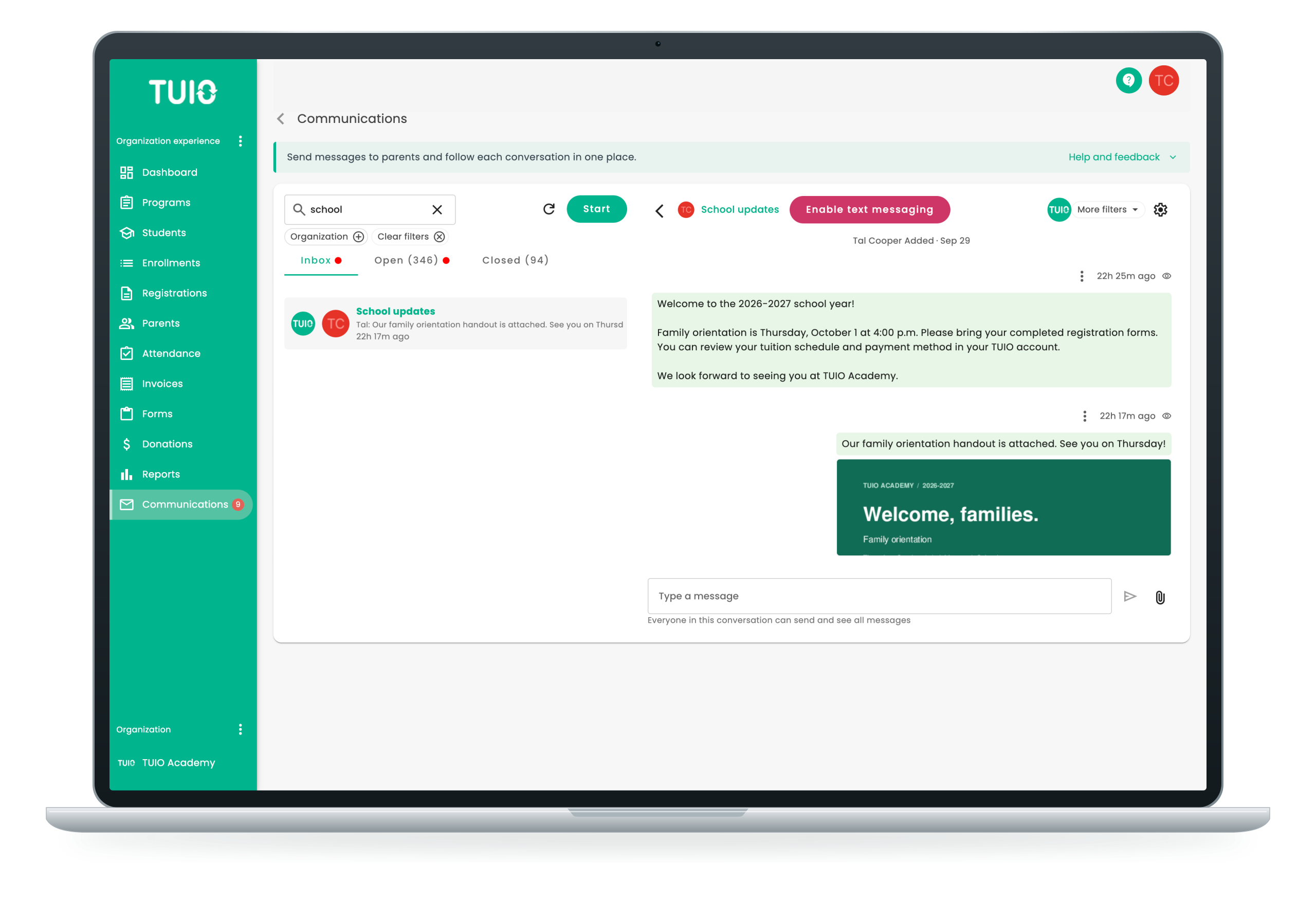
Handle your comms with TUIO
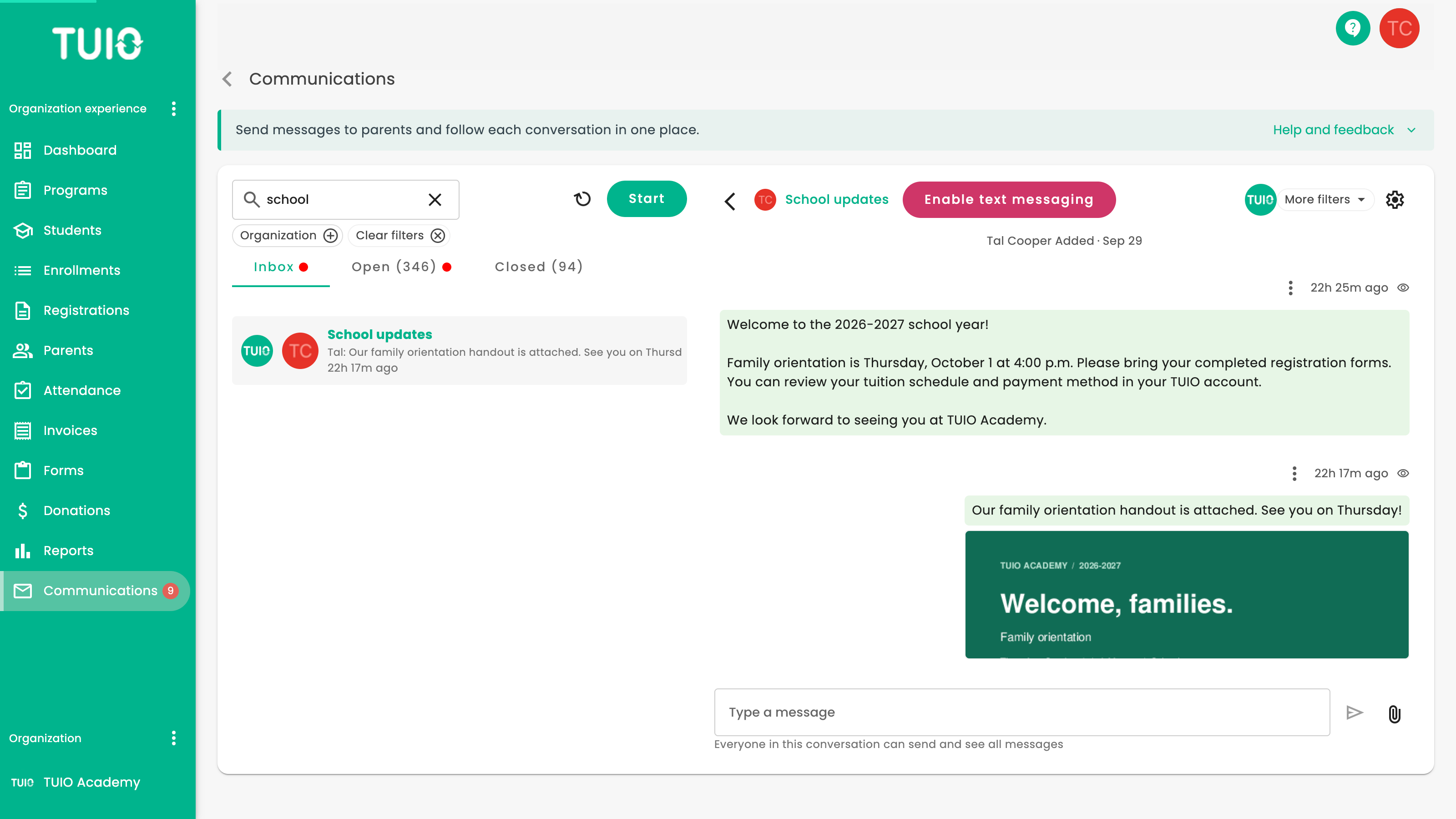
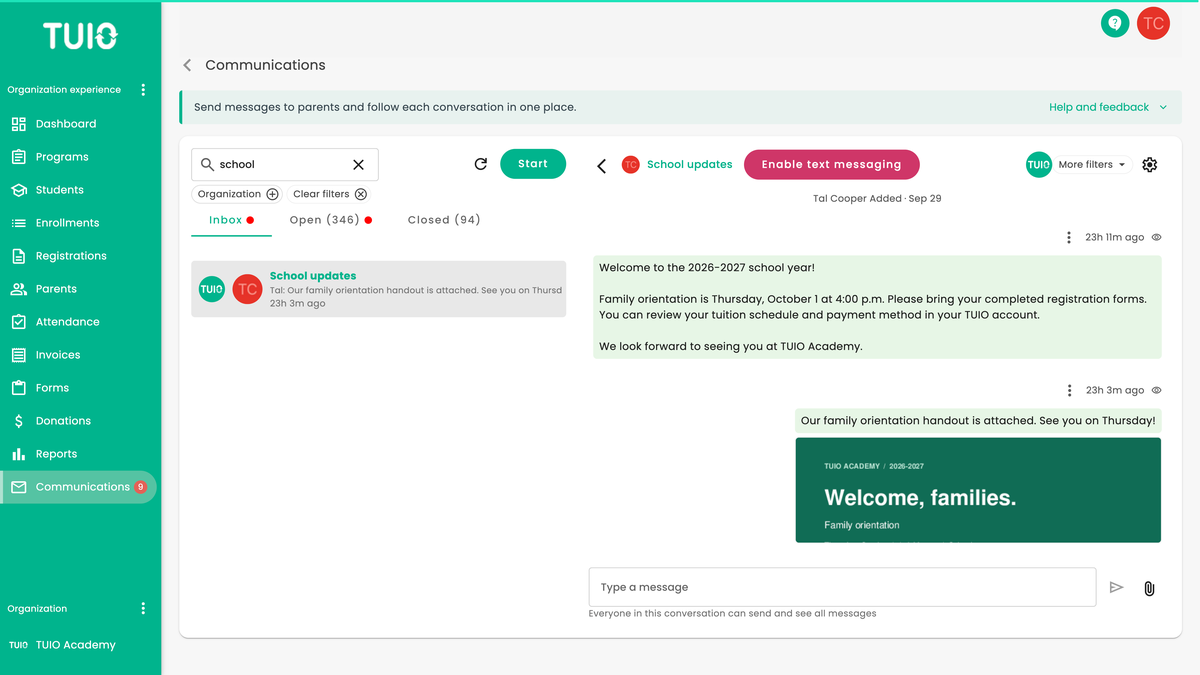
TUIO Conversations is the messaging built into TUIO. One message reaches a single parent, everyone in one program, or your whole organization, and you add participants in bulk instead of one at a time. Attach a newsletter, a permission form, photos or video, or link straight to a TUIO registration form or donation page.
Parents get an email the moment you send, and organizations that switch on text messaging reach them by text as well. The conversation itself sits in the dashboard where families already view invoices, make payments and fill in registration forms, so there is nothing for them to download. When a parent opens a message, TUIO marks it read and records the time.


With TUIO Conversations you can
Message one parent, one program, or your whole school
Attach a newsletter, a permission form, photos or video
Link straight to a registration form or a fundraising campaign
Get one urgent message to every family at once, and see who opened it
Why schools & parents love TUIO
Keeping everyone in loop
Tell parents about a new field trip or program, attach the pamphlet, and link straight to the TUIO form they need to fill in. The message, the document and the form are in one place, so a parent can read it and act on it without hunting through an inbox.
Better relationships
Families can message the office back from their own dashboard, so a question about a fee or a pickup reaches the person who can answer it instead of a general inbox. Staff see the whole thread in one place, including what was sent and when it was read.
Save time
Messages, invoices, forms and student records sit in one system, so your team is not moving between a mailing tool, a spreadsheet and the phone. There is no separate parent list to keep in step, and fewer calls asking whether an email arrived.

Parents read it where they already pay
There is no app to download and no second login. The message arrives by email — or by text, where your organization has switched text messaging on — and the conversation lives in the TUIO dashboard families already use to pay invoices and sign forms.
TUIO works in a phone browser the same way it works on a laptop, so a parent reading a message on the way to work sees what an administrator sees at their desk.
We Are Committed to Your Success!
Customize communications
Draft the message, then add participants in bulk — individual parents, the parents in one program, or everyone in your organization. Attach files: a PDF newsletter, a permission form, photos or video. Once it has gone out, you can see who has read it.
"Another time saving aspect is I do not have to get together for high frequency meetings to brief the other stakeholders of the center. It has eliminated a lot of work the ownership had to maintain using the previous system"
Amanda Lanahan
No limits to your comms
KM School uses TUIO to send organization-wide parent newsletters, school announcements, invitations to parent events and links to registration forms. One message can go to several groups at once, so families get the information as soon as it is ready rather than hearing it second-hand.
"I’ve worked in education my entire career and with online schools for 15 years. Compared with other providers, TUIO is new and easy to use"
Kelly Van Sande
Emergency alerts
When something happens on school grounds, one message reaches every family in the school — or only the families in one program — in seconds. It goes out by email, and by text where your organization has switched text messaging on, so it reaches a parent who is nowhere near a computer. You can see who has opened it.
"TUIO is working exceptionally well for us and we are so thankful that we signed up with them. Initially, we were nervous about moving our information from our old system to TUIO, but with the help of TUIO Support it was a simple process."
Stephanie Tomazos

Streamline Your Communications
See how it works
Frequently Asked Questions
Do parents need to download an app?
No. TUIO runs in a web browser and works on a phone, so families sign in the same way on a laptop or a handset. There is nothing for a parent to install and nothing for your office to talk them through.
How do parents know a message has arrived?
Every message goes out by email. Text messaging is available with TUIO Professional. Once your organization switches it on, families can be reached by text, with email as the default.
Can parents write back?
Yes. Parents reply to the office from the same TUIO dashboard where they view invoices, make payments and complete registration forms, so the conversation and the record sit together.
Can we attach a newsletter or a form?
Yes. Messages carry files such as a PDF newsletter, pamphlet or brochure, and can link straight to a specific TUIO form so a family can act on the message in the same place they read it.
What does parent communication cost?
Communication is included in TUIO Professional at $500 a year per location. Text messaging costs a small monthly activation fee plus the cost of each message.
Send your first newsletter this week
Conversations is part of TUIO rather than a separate product, and it is included in TUIO Professional at $500 a year per location. Book a demo and we will set it up with your programs and your parent list, so you can watch a message reach your own school before you decide.
