
Attendance Tracking Software
TUIO takes attendance for your students, runs your programs and class schedules, and turns any of it into a report you can download — inside the system that already handles your enrollment and billing.
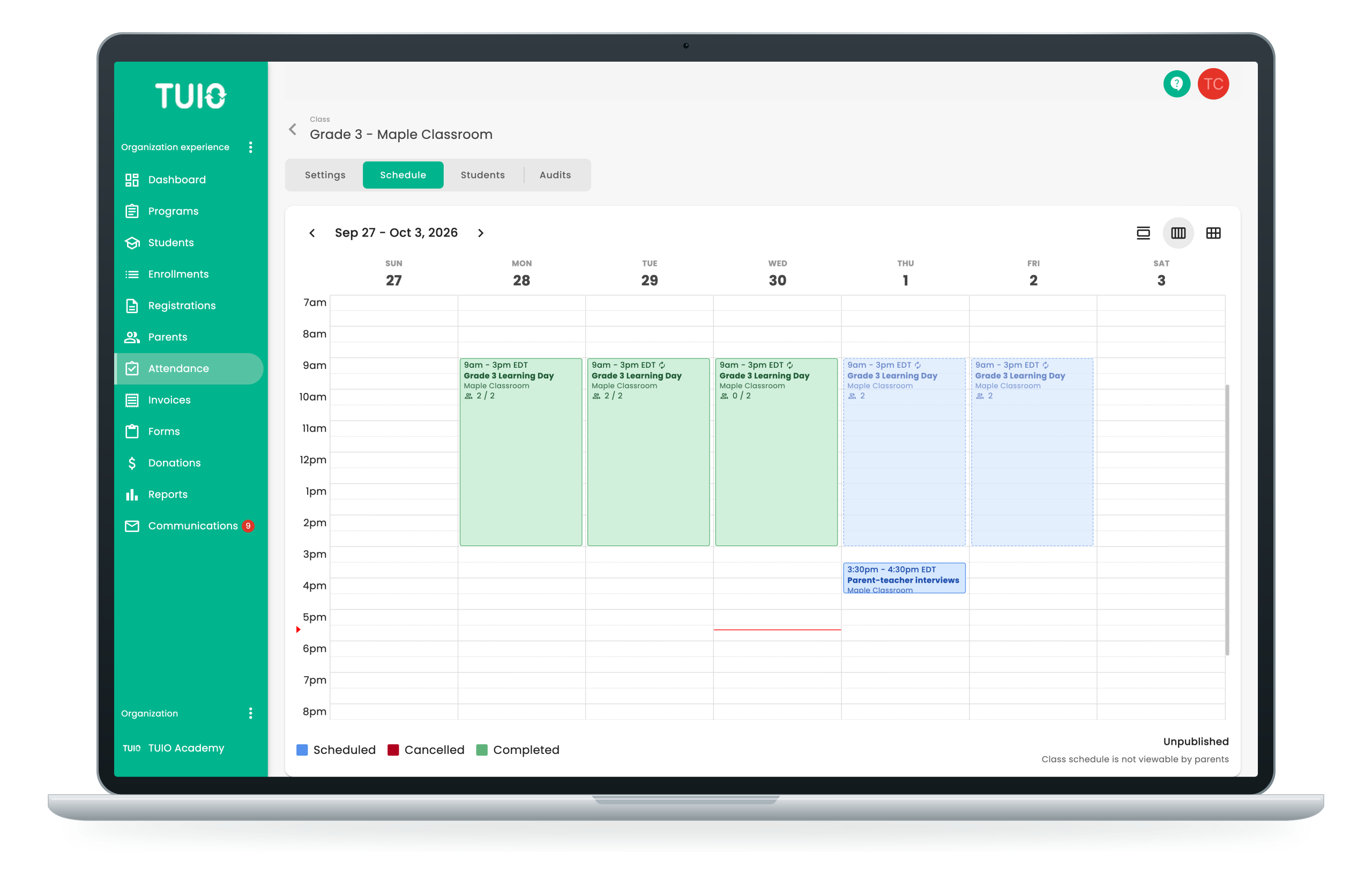
One dashboard for who is in today
Attendance is a small job that happens every day in every room, and it becomes a large one as soon as it lives on paper. What a school needs from it comes later: who was in the room on the morning a parent asks about, which class a child was placed in, and a list somebody can be handed at the door.
TUIO keeps it on one dashboard — the class or the program, who is expected, and where each student stands: pending, checked in, checked out or absent, with a note when there is something to record. Let TUIO mark the class once the event has ended, on a delay you set, or tick each name by hand. Every record is available as a report you build yourself.

What attendance and class management does
- Students on one dashboard
Take attendance for a class or a program on the same dashboard that already holds your class lists.
- Four statuses and a note
Pending, checked in, checked out or absent, with a free-text note kept against the record.
- Marked after the event
Set a class to automatic and TUIO marks it once the event has ended, on a delay you choose, leaving you the exceptions.
- Classes and programs
Give a class a maximum capacity, a recurring schedule and the days it does not run, then assign your staff and students to it.
- Reports you build yourself
Class rosters, pick-up lists, emergency contact lists — any field TUIO holds, as a PDF or a CSV file.
- Placement and enrollment together
Attendance follows the student's placement and their enrollment record, so the class list and the family file stay in step.
Programs and classes, built the way you run them
Build a program with its dates, its description, its fees and its payment plans, then set up the classes inside it. Each class carries its own maximum capacity, its own recurring schedule and its own assigned staff, and the days it does not run go on the same calendar: a professional development day, a birthday party, the week of fall break.
Families are assigned to programs in bulk rather than one at a time, and that placement is what the attendance sheet is drawn from. Move a student and their attendance follows.
“TUIO has saved me a ton of time. I love that I am able to mass assign the children to different programs and to be able to create different payment plans within each program. It’s easy to customize a payment plan specific to a parent’s needs if necessary.”
Kelly Van Sande

Attendance is one part of the same system
The attendance you take is tied to the student's placement and their enrollment record, so the class list and the family file stay in step. One roster, kept current by the same act of marking a child present.
All-in-one school management system
TUIO streamlines your administrative processes. Parents provide student and family information filling out a digital registration form using TUIO. Upon enrollment or once admitted through the waitlist, student registration details flow into TUIO’s student information system. This data can then be used to create payment plans with the integrated student payment system. Check out our article on school management systems and how to spot a good one.
Tuition and billing
Payment plans, invoices and receipts for the same families you take attendance for, in the same system and against the same student records.
Student information
Contacts, allergies, consents and any custom field you add, kept current by families themselves and available in every report you build.
Parent communication
Message one family, one class or the whole school from the same place you marked the register.
"Overall, we are delighted with TUIO. We now collect Registrations, Summer Camp choices, and Student Information online and it all flows seamlessly into the billing aspect of TUIO."
Marina Illic
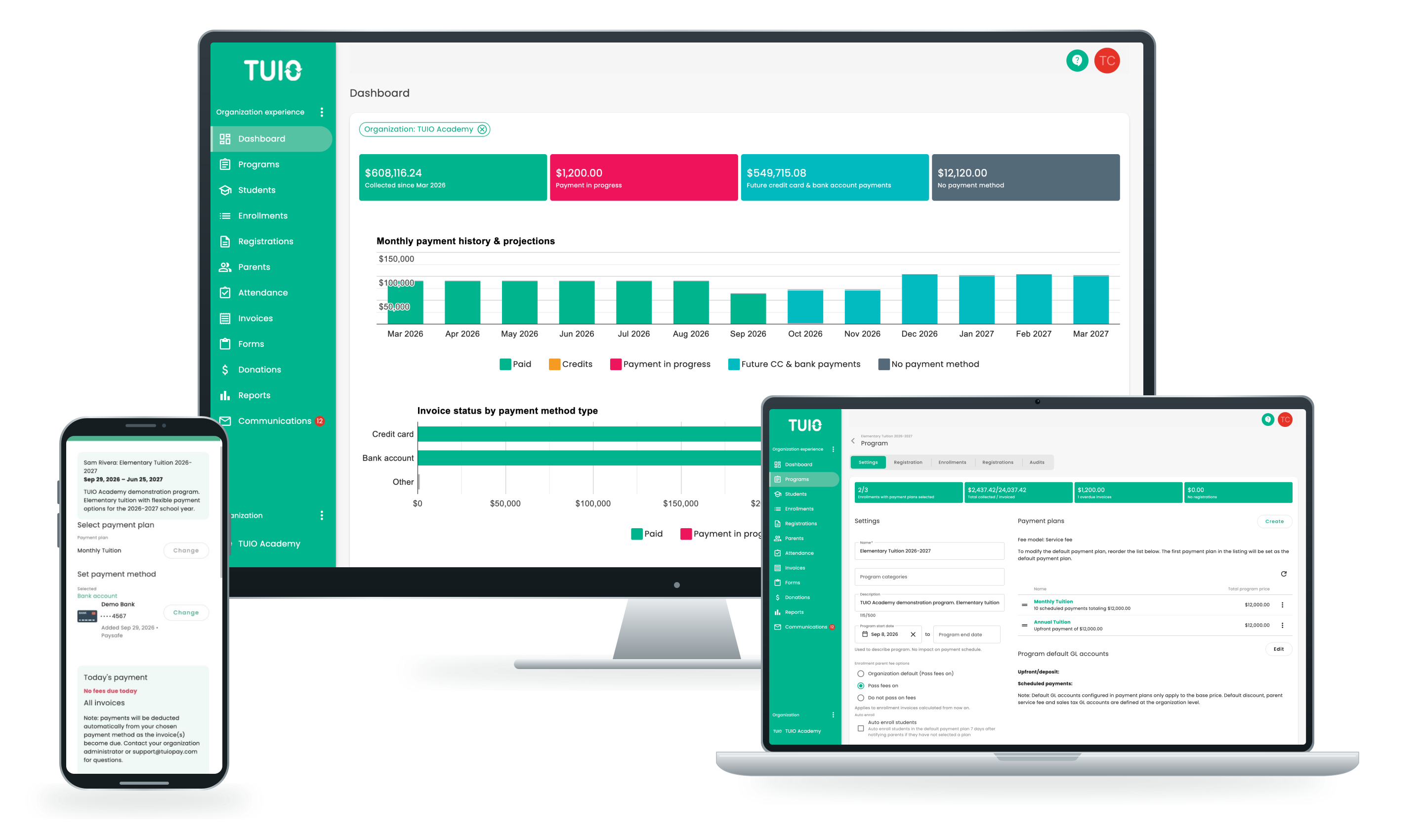
Book a demo with TUIO
- Book a live demo with one of our friendly specialists
- Get answers to all your questions
- See attendance, class schedules and reports running on your own class list
This site is protected by reCAPTCHA and the Google Privacy Policy and Terms of Service apply.
Attendance & class management includes:
- Attendance for students, marked automatically or by hand.
- Pending, checked in, checked out and absent, with a note.
- Automatic marking after the event, on a delay you set.
- Class capacities, recurring schedules and dated exceptions.
- Staff and students assigned to each class.
- Programs your families are assigned to in bulk.
- Attendance sheets and summaries by class, student or date range.
- Custom reports on any field TUIO holds, as PDF or CSV.
- Attendance tied to each student's placement and enrollment.
- A history of who recorded what, open to the roles you allow.
Inside attendance and class management
Classes and schedules
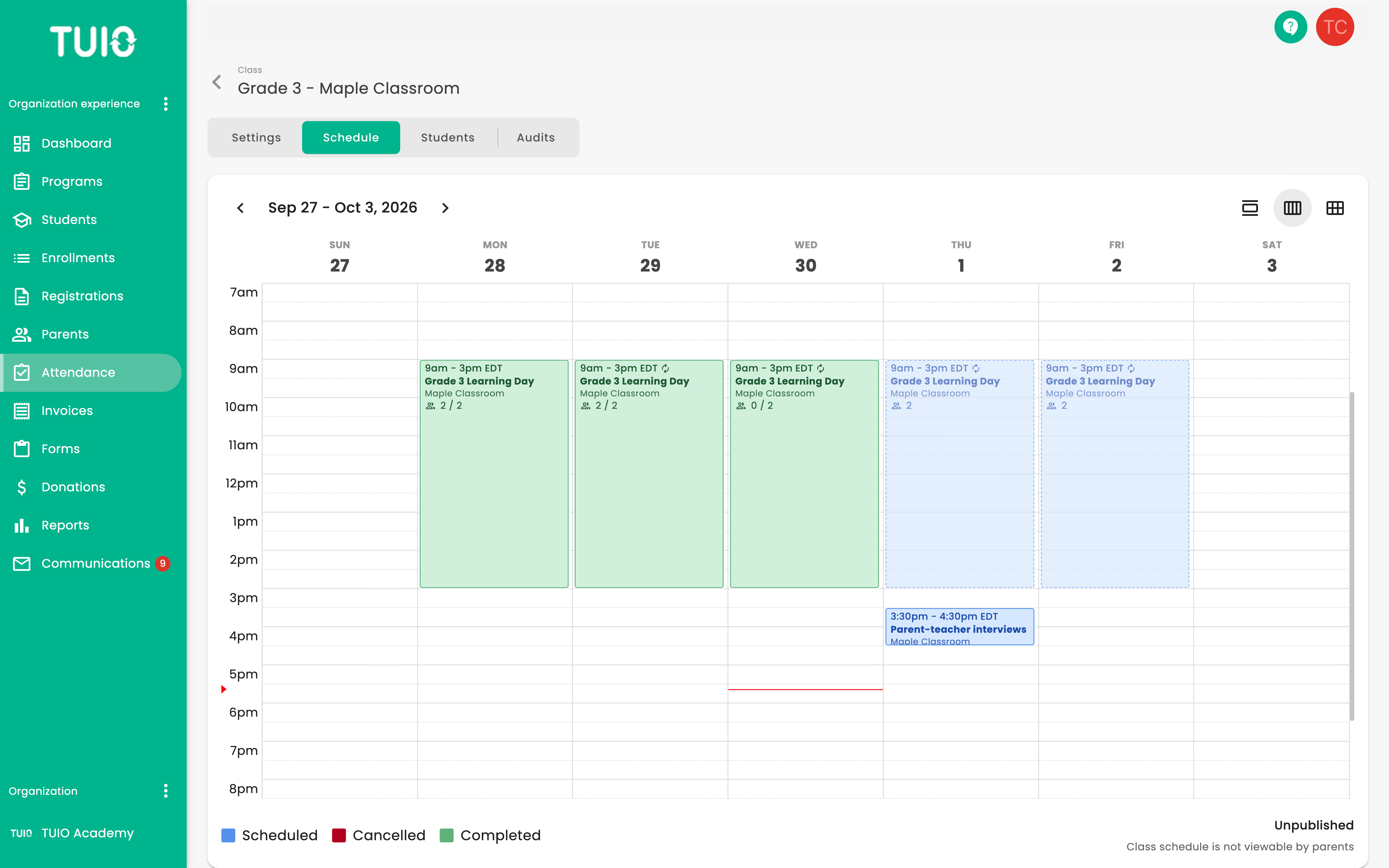
- A maximum capacity per class
- A recurring schedule, and the days it does not run
- Staff and students assigned to it
- Attendance sheet, summary or report, downloaded
Reports
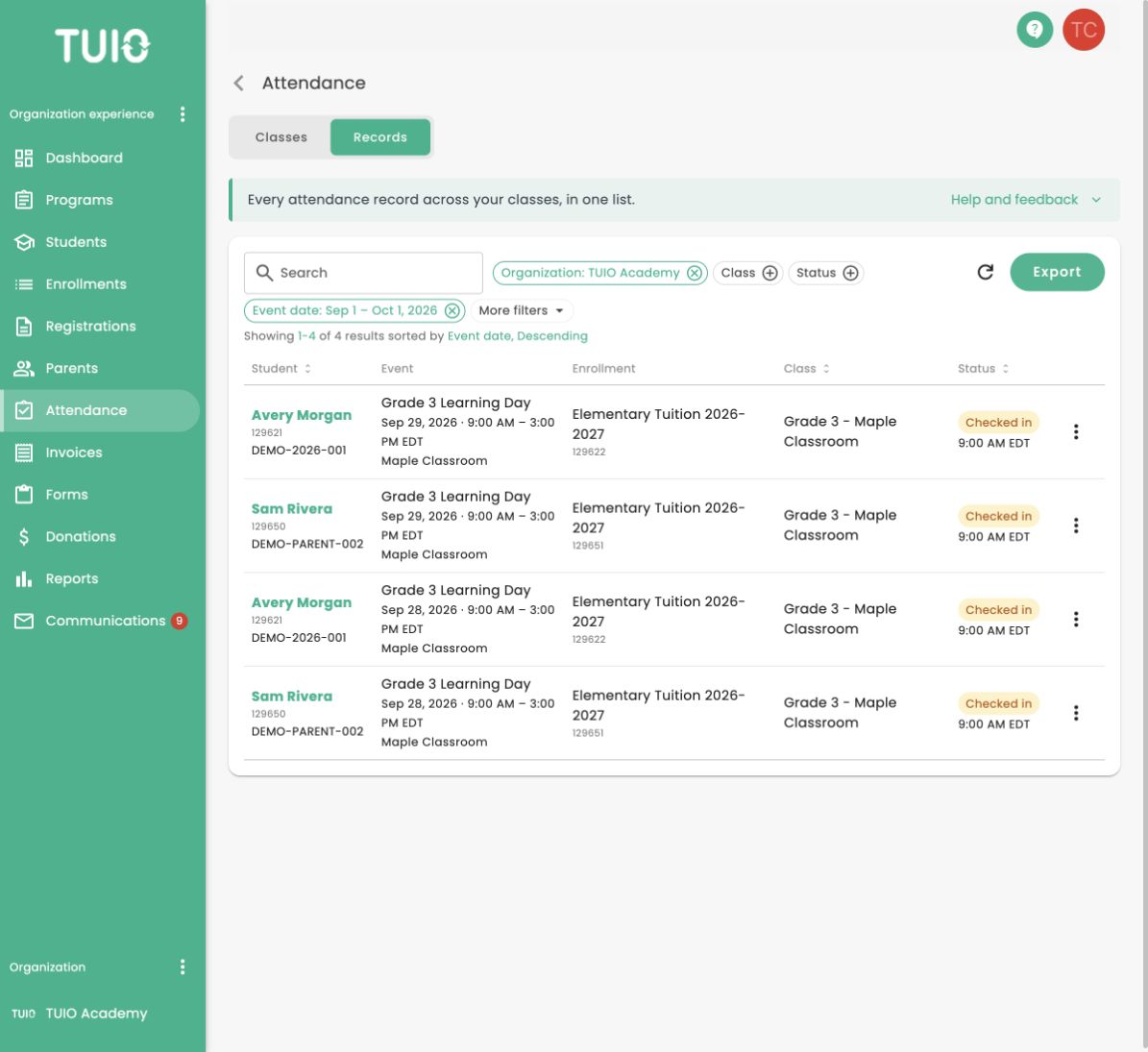
- Review attendance by class, student and event date
- Filter checked-in, checked-out and absent records
- Export the attendance records you need
- Open the attendance view for record details
A week in the classroom
Attendance & class management FAQ
How is a student marked present?
Every student on a class list carries a status: pending, checked in, checked out or absent. An administrator sets it on the attendance screen, and a free-text note can be added to the record.
Can attendance be marked automatically?
Yes. Set a class to automatic and TUIO marks it once the event has ended, on a delay you choose, so you report only the exceptions afterwards. Set it to manual and each attendance is entered by hand.
Can we limit how many students a class takes?
Yes. Each class carries an optional maximum capacity, set on the class itself alongside its name and its schedule. Leave it blank and the class has no limit.
Can a class skip certain days?
Yes. A class has a recurring schedule — the days and times it runs each week — and dated exceptions for the days it does not: a professional development day, a holiday, the week of fall break.
What can we report on?
Any field TUIO holds. Build a class roster with photos, names and dates of birth, an emergency contact list, or a pick-up list. Add the custom fields you have created for allergies, medication or activities, and include parent names, phone numbers and each family's listed doctor. Download it as a PDF or a CSV file.
Can we assign a lot of families at once?
Yes. Families are assigned to programs in bulk rather than one at a time, and that placement is what puts a student on the class list.
Who can see the attendance records?
Access follows the role you give each member of staff, and the history of what was recorded is open to the roles you allow it for.
How long does it take to set up?
Onboarding is a single hour with a specialist, who sets your programs and classes up with you. Unlimited support from our team is included for staff and families at no extra charge. Families can email us directly, and school teams can arrange one-on-one calls, video meetings or screen-sharing sessions.
How does attendance connect to the rest of TUIO?
It is the same system. A student's placement in a class and their enrollment record are what the attendance sheet is drawn from, so a change to a placement is visible in attendance without exporting anything.
See it on your own class list
Attendance & Class Management runs in the same system as your enrollment and your billing. Book a demo and we will set it up against your own programs and classes.
