
Child Care and Preschool Billing Software
Billing, enrolment and records for a place where the money changes every week — subsidy, room moves, dropped days and a waitlist that keeps moving.

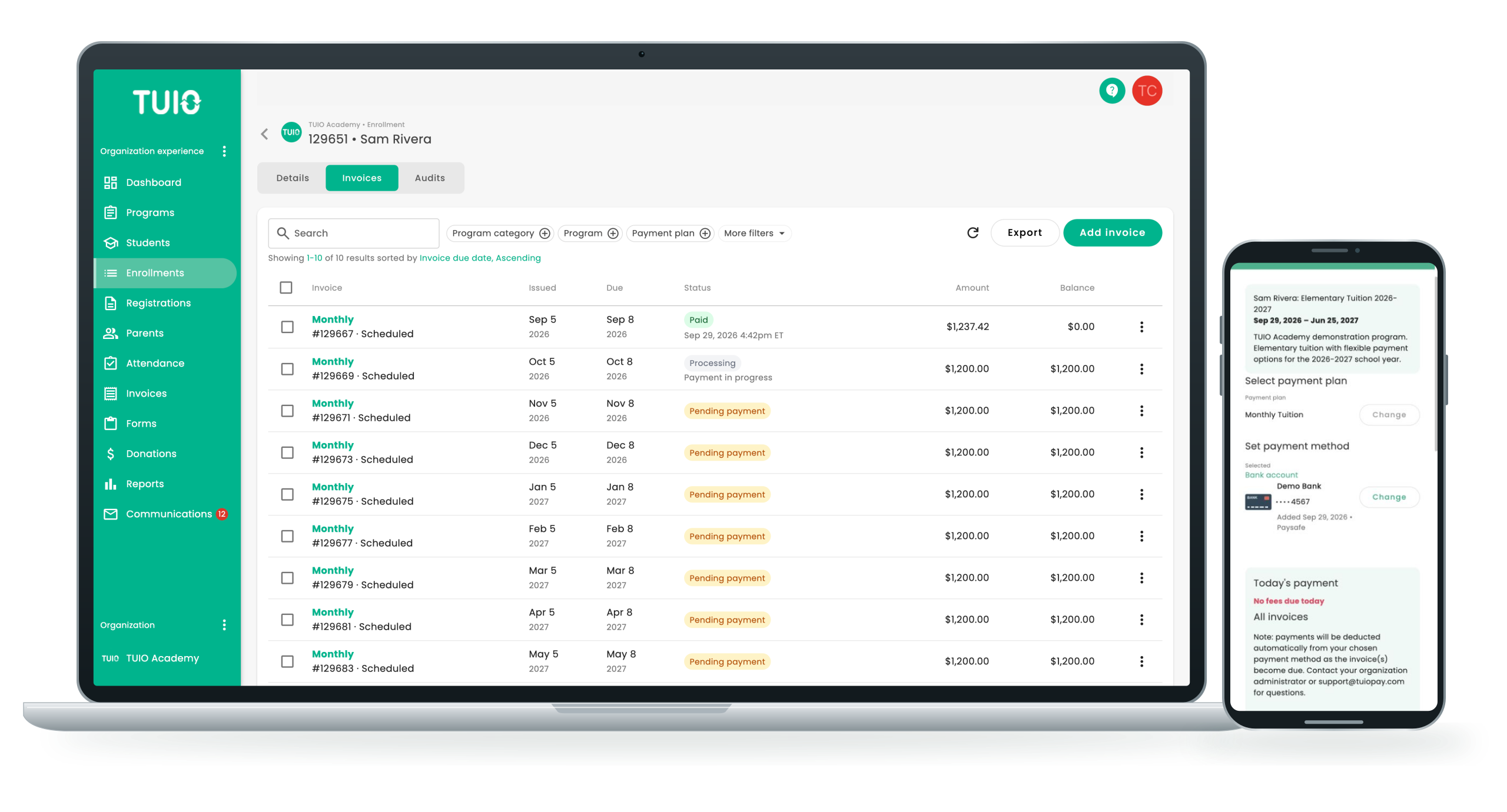
In child care, the money changes every week
A school bills in September and again in January. A centre never stops, and almost nothing stays still. A subsidy amount changes. A child moves rooms on their birthday and the rate moves with them. A family drops a Friday. Somebody is twenty minutes late at pickup. A space frees and the waitlist moves.
Software built around a school year cannot hold that, so the gap gets filled by a spreadsheet and somebody’s memory. TUIO holds it: plans per family, per room and per schedule, prorated when a start date moves, with the subsidised amount set against the family so the invoice bills only the parent’s share.
And parents do their own admin. They enrol, keep contact details and allergies current, replace a card that has expired and download their own receipts — without calling your office at pickup time.
- Enrollment management software
- Student information system
- School-parent communication features


Built for how a child care centre actually runs
Subsidy, and the parent’s share. Set the subsidised amount against the family and TUIO bills the balance, so the invoice a parent opens is what they actually owe. When the amount changes mid-year, the plan changes with it rather than being recalculated by hand.
Rooms, days and part-time schedules. Full time, three days, mornings only, before-and-after. Each is a plan you define once. When a child moves from infant to toddler, they move onto that room’s plan and the billing follows without a new invoice being written from scratch.
Tax receipts, prepared rather than automatic. A child care tax receipt aggregates a period’s payments by scope and date and adjusts for the portion that qualifies, which is why it is a deliberate step. An administrator prepares them in TUIO, and families download them or have them sent.
A waitlist is a business, not a list. Prospective, enrolled and waitlisted families sit on one dashboard, so when a space opens you can see who is next and what they were told, instead of searching an inbox.
Attendance at the door. Take attendance for each room or programme in seconds, from the class schedule or by hand, with the day’s record kept alongside the family’s file.

Why parents love TUIO
No mistakes
Parents enter information about their child and payment options in the online system.
No late payments
Parents receive scheduled payment reminders and funds are automatically withdrawn on the due dates.
Save time
Parents can view their invoices and payment history without contacting administration.
Easy payment
Parents can select to pay with credit card, debit card, or even pay with an international card.
Attendance & Class Management
Take attendance for each classroom or program in seconds, notify parents of absences instantly.
Why is TUIO the preferred child care billing software?
For Owners and Administrators
With TUIO, child care facility owners and administrators can easily set-up program options, send invoices, create payment plans, manage accounts receivable, automate collections, and report on transactions through a user-friendly interface. We’ve designed our child care center software to be easy to setup and start using as soon as possible. With its intuitive interface and wide range of functions, your staff can get up to speed with it in very little time. In most cases, employees can complete the onboarding process in about one hour. Our online system also reconciles payments in real-time to provide you with accurate financial snapshots.
With the advanced automation features included in our child care software programs, handling recurring payments becomes much simpler. Rather than having your staff spend time tracking down families every time tuition payment is due, our software for child care centers automatically sends out reminders and directs families to the online portal. This frees your team to focus more of their attention on answering parents’ questions and strengthening the relationship your business has with them.
With custom settings, you can charge families different rates based on their specific context. For example, child care tuition payments can be automatically split between separated parents. Invoices can be automatically discounted for families with government assistance. And, child care tax receipts are prepared by an administrator at year end and then downloaded or sent, rather than going out on their own — a receipt has to aggregate the period’s payments and adjust for the portion that qualifies. Check out a sample invoice and receipt from TUIO. Our user-friendly, comprehensive solution for tuition management simplifies your processes with the help of automation and versatile integrations. Parents can choose to set up autopay to handle their payments automatically or choose to be reminded via email when tuition is due.


For Parents
Parents access TUIO online through a parent portal. They will then have access to a custom dashboard where they can view their child’s program enrollment, access outstanding and future invoices, update payment preferences, pay fees, automate payments, view payment history, and access receipts. Parents can feel confident knowing that our child care management software comes equipped with robust security protections to keep their financial data safe during the payment process. Using our child care enrollment software, parents can even set-up their child’s student profile and update information before and after admissions. Through the TUIO software, parents can receive messages from administrators about any necessary updates. TUIO is super convenient for families. Never miss a payment or a message ever again!
TUIO child care software includes:
- Direct support from an actual person! Available to both you and your families at no extra charge.
- Custom set up of your TUIO system.
- A streamlined one-hour onboarding process.
- Automation of recurring payments.
- Robust encryption system to secure payments and safeguard information.
- Downloadable reports that are unique to your school.
- Confidential and secure record-keeping software (SIS).
- Resolving failed parent payments on your behalf.
- Funds sent straight into your own merchant account, never held by TUIO.
- Registration and enrollment management software.
Book a demo with TUIO
- Book a live demo with one of our friendly specialists
- Get answers to all your questions
- Streamline your billing, payment, admissions, fundraising and donation needs all in one platform!
This site is protected by reCAPTCHA and the Google Privacy Policy and Terms of Service apply.



Case Study
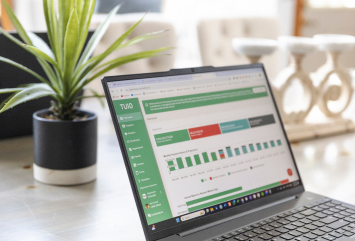
North Bridge Child Development had been struggling to keep track of parent payments. They had to use post-it-notes, log all the payments manually, and take a myriad of payment options to the bank every week. They also had a lot of overdue and missed payments.
They made the switch to TUIO, and late payments have become a thing of the past. Parents enjoy setting up cards or bank accounts in their dedicated portal, and the school administrator enjoys not having to attend high frequency meetings with ownership to discuss the payment situation. One view of the account dashboard and they have peace of mind!
TUIO makes going online easy
Collecting payments and record-keeping takes a lot of time and effort! Our web-based billing software makes it easy to manage all administrative tasks in one secure location. TUIO guarantees data privacy while still being easily accessible from any device. Check out a TUIO sample invoice and receipt.

 Contact the TUIO team from our website.
 Superb customer support
Onboarding with our child care administrative software only involves a one-hour live session. After you are up and running, you have full access to a TUIO rep – yes, a real person. The price includes assistance for your families too. With access to an online dashboard and support from a TUIO rep, you won’t be getting financial questions from parents anymore!
Our representatives can do more than answer all your questions regarding our child care management system. They also have the knowledge and expertise to field financial questions from the parents you serve. Working with us means you can take some of the burden off your staff members’ shoulders and trust our experts to handle these often-complex inquiries. This is essential for improving the customer service you provide and building trust within your community of families.
Start automating
Book a TUIO demo to see how you can streamline your child care payments & daycare billings, registrations & waitlisting, parent communications, and fundraising needs all in one platform!
Frequently Asked Questions
How quickly can we get TUIO set up and running at our child care center?
Onboarding starts with a live session with a product specialist, usually about an hour, where your programs, billing rules and parent access are configured with you.
After that the pace is yours. It depends on how quickly your team can pull together student and family details, and how much history you want moved across before you start billing. Centres that arrive at the session with their data ready are often invoicing within days. Others take a few weeks. Nothing on TUIO's side holds it up.
Does TUIO work for preschools, or only for daycares and child care centres?
It works the same way for all three. A preschool bills the same way a daycare does — recurring tuition, registration and supply fees, late pickups, subsidy amounts that vary by family — and parents want the same thing at the other end, which is one place to see what is owed and pay it.
Preschools run TUIO for enrolment forms, recurring billing, automatic reminders, receipts and reporting, with programs and fee schedules set up to match how the year is organised. Half-day and full-day groups, multi-child families and split payers are configured during onboarding rather than worked around afterwards.
What makes TUIO different from other child care billing software?
TUIO combines child care billing and payments with practical operational tools, including automation for recurring payments, downloadable reports, and secure record keeping (SIS). TUIO also includes direct support from an actual person, available to both your center and your families at no extra charge.
How does TUIO help reduce late payments and missed tuition?
TUIO helps reduce missed payments by automating recurring payments and keeping billing organized in one place. This makes it easier for families to stay on schedule and helps administrators spend less time tracking down payments manually.
Is TUIO secure enough to handle our families' financial and personal information?
Card details are entered directly into the payment processor's secure form, embedded in the TUIO page, and go straight to the processor's vault. TUIO never collects, transmits or stores them — which is what keeps your centre in the simplest PCI category, SAQ-A, instead of the much heavier assessment a centre processing cards itself would face.
Student and family records sit in TUIO, held in Canada, with staff access limited by role.
What kind of support can we expect after implementing TUIO?
TUIO includes support from a real person, for your centre and for your families, at no extra charge. Parents contact us directly and we help them — we only send them back to you when it is a decision that is yours, like a fee or a plan change.
If a payment fails, ask us and we will work it out with the family.
